


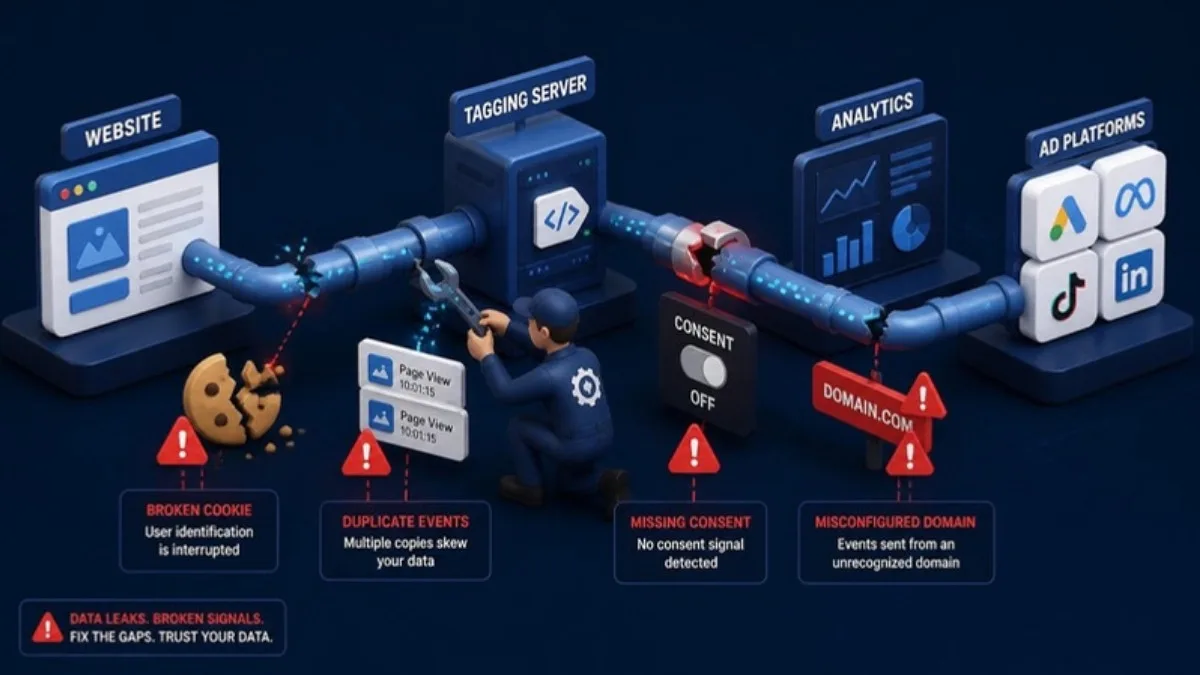
Server-side tracking is sold as the fix for ad blockers, iOS privacy changes and missing conversions. When it is done right, it really does help. But many of the setups I audit are worse than the simple browser tracking they replaced: events are doubled, user data is lost, and nobody noticed because the dashboards still show numbers.
Here are the seven server-side tracking mistakes I see most often in client accounts, and how to fix each one.
Quick Answer
The most common server-side tracking mistakes are missing deduplication between browser and server events, not using a first-party subdomain, dropping user data such as IP, user agent and click IDs, sending events without consent checks, forgetting to monitor the server container, double-firing tags, and never comparing tracked conversions with real orders.
- Always deduplicate browser and server events with a shared event ID.
- Use a first-party subdomain like data.yoursite.com.
- Pass IP, user agent, click IDs and hashed customer data.
- Respect consent settings in both containers.
- Compare tracked conversions with real orders every month.
Mistake 1: No Deduplication
If both the browser and the server send the same purchase to Meta or TikTok without a shared event ID, the platform counts it twice. Your ROAS looks amazing, but it is not real. Generate one event ID per action and send it from both sides. I explain this in detail in my Pixel and Conversion API deduplication guide.
Mistake 2: Using the Default Cloud URL
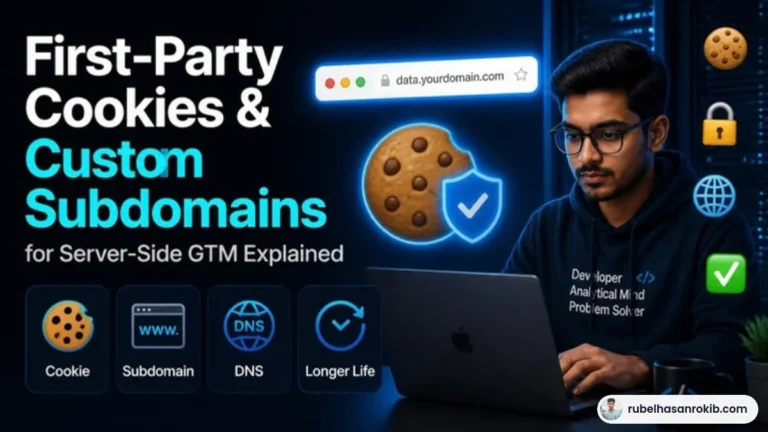
Running your server container on a generic cloud address instead of your own subdomain removes much of the benefit. A first-party subdomain such as data.yoursite.com lets cookies last longer and makes requests less likely to be blocked.
Mistake 3: Losing User Data on the Server
The server only knows what you send it. If the client IP, user agent, click IDs like fbclid or ttclid, and hashed email or phone are not passed through, platforms cannot match events to users and match quality drops.
Mistake 4: Ignoring Consent
Moving tracking to the server does not remove privacy obligations. If you serve visitors in the UK or EU, your consent choices must apply to server-side tags too.
Mistake 5: Double-Firing Tags
A common pattern is a Meta Pixel plugin on the website plus a Pixel tag in GTM plus a server tag. Three sources of the same event is a recipe for messy data. Choose one browser source and one server source.
Mistake 6: Never Monitoring the Container
Server containers need hosting, and hosting can run out of credits, hit limits or go down. If nobody checks, tracking stops silently. Set a monthly reminder to check request volume and errors.
Mistake 7: Not Comparing With Real Orders
The only real test is comparing tracked purchases against your store or CRM. A difference of a few percent is normal. A big gap in either direction means something is wrong.
A Simple Monthly Checklist
- Compare last month’s orders with purchases in GA4, Meta and TikTok.
- Check deduplication status in Meta Events Manager.
- Review Event Match Quality and server request errors.
- Confirm the server container hosting is active and within limits.
- Test one full purchase after any website or checkout change.
If you are deciding whether you need server-side tracking at all, start with server-side vs client-side tracking.
Server-Side Tracking Mistakes FAQ
Is server-side tracking always more accurate?
Only when it is set up correctly. A broken server setup can double-count events or lose user data, which makes data worse.
Do I need a custom subdomain for server-side GTM?
It is strongly recommended. A first-party subdomain improves cookie lifetime and reduces blocking.
Why did my conversions double after server-side tracking?
Most likely the browser and server events are not deduplicated with a shared event ID.
Does server-side tracking remove the need for consent?
No. Privacy laws and consent choices still apply to data sent through a server container.
How often should I audit server-side tracking?
Check it at least monthly and after every website, theme or checkout change.
Final Thoughts
Server-side tracking is powerful, but it is not set-and-forget. Deduplicate, use your own subdomain, pass full user data, respect consent and compare with real orders every month. My server-side tracking guide for Bangladesh covers the full setup.
Official Resources
Need help with server-side tracking?
I am Rubel Hasan Rokib, a data-driven digital marketer based in Bangladesh. Send me your website or ad account details on WhatsApp and I will reply with a clear plan.







One Comment