

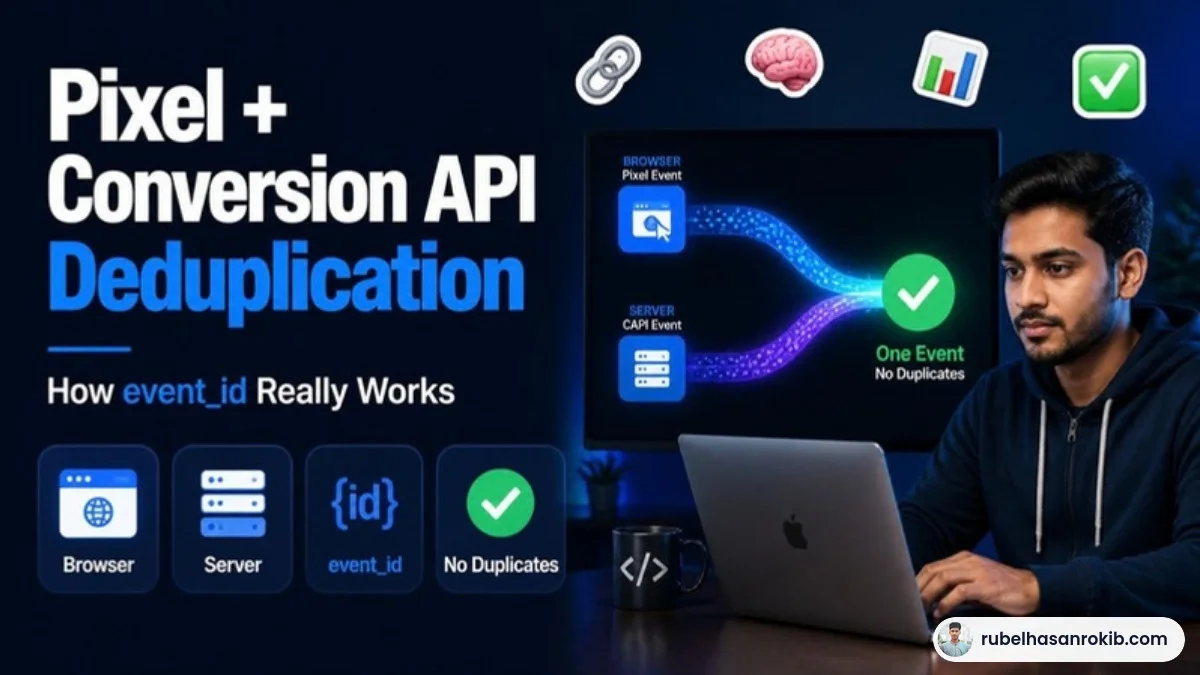
The most common message I get after someone installs the Meta Conversion API is: “My purchases doubled in Ads Manager, but my sales did not.” That is not a CAPI success story. It is a deduplication problem. The Pixel and the server are both reporting the same sale, and Meta has no way to know they are one order.
In this guide I explain how Meta Conversion API deduplication works, what event_id actually needs to look like, and how to check it in Events Manager in a few minutes.
Quick Answer
When you run the Meta Pixel and Conversion API together, each event must be sent with the same event_name and the same event_id from both the browser and the server. Meta then keeps one copy and discards the duplicate. If the IDs do not match, Meta counts the event twice, which inflates purchases and confuses optimization.
- Deduplication needs a matching event_name and event_id.
- Use a stable unique value, such as the order ID for purchases.
- The browser event and server event should arrive close together in time.
- Check the deduplication status in Events Manager.
- Duplicated purchases make ROAS look better than reality and mislead optimization.
Why Duplicate Events Happen
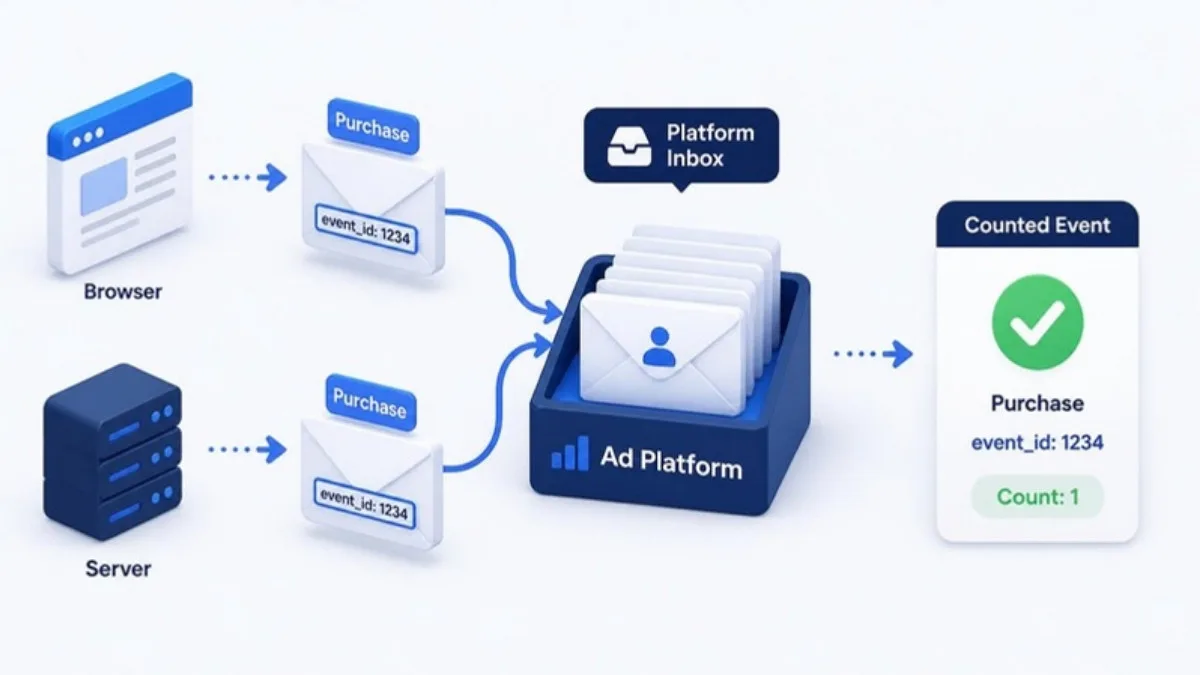
With a redundant setup, the same purchase is sent twice: once from the visitor’s browser through the Pixel, and once from your server through the Conversion API. That redundancy is the point, because if the browser event is blocked, the server event still arrives. But when both arrive, Meta needs a way to recognize they describe one action.
How Meta Matches the Two Events
Meta compares two fields. The event name must match, for example Purchase and Purchase. The event ID must match too. In the Pixel this is passed as eventID, and in the Conversion API as event_id. When both match, the duplicate is removed.
| Source | Event name | Event ID |
|---|---|---|
| Pixel (browser) | Purchase | order_10457 |
| Conversion API (server) | Purchase | order_10457 |
| Result | Counted once | Deduplicated |
Choosing a Good event_id
- Purchase: use the order ID. It is unique and available on both browser and server.
- Lead: use a form submission ID or a generated unique ID stored in the page.
- AddToCart and ViewContent: generate a unique ID in the browser and pass the same value to the server, which is easiest with server-side GTM.
- Never reuse the same ID for different events or different orders.
Step by Step: Check Deduplication in Events Manager
- Open Events Manager and select your dataset (Pixel).
- Click on the Purchase event and look at the event details for deduplication information.
- Compare browser and server event counts with your real orders for the same day.
- Use the Test Events tool, place a test order and confirm both events show the same event ID.
If server and browser counts are both close to your real orders and the deduplicated total matches reality, your setup is healthy.
Common Causes of Broken Deduplication
- Pixel installed by a plugin and CAPI by another tool, each generating its own random IDs.
- Event names that differ, such as Purchase on one side and purchase or CompletePayment on the other.
- The server event sent hours later from a batch process.
- Thank-you page reloads that fire the browser event again with a new ID.
The cleanest fix is often to send both events from one place. A server-side tracking setup through Google Tag Manager lets you generate the ID once and reuse it, which I explain step by step in Meta Conversion API setup with Google Tag Manager.
Meta CAPI Deduplication FAQ
What is deduplication in Meta Conversion API?
It is how Meta removes duplicate events when the same action is reported by both the Pixel and the Conversion API, using a matching event name and event ID.
What should I use as event_id?
Use a unique, stable value. For purchases, the order ID is the best choice because both the browser and server know it.
Why are my purchases doubled after installing CAPI?
Usually because the Pixel and server send different event IDs or slightly different event names, so Meta cannot match them.
Does deduplication affect Event Match Quality?
Not directly. Event Match Quality depends on customer information parameters, but clean deduplication keeps your reported conversions accurate.
Can I run CAPI without the Pixel?
You can, but Meta recommends a redundant setup with both for the most complete data.
Final Thoughts
Deduplication is a small detail with a big effect. Match event names, reuse the same event ID, and check Events Manager after every tracking change. Once that is clean, focus on match quality, which I cover in how to improve Event Match Quality.
Official Resources
Need help with Meta Pixel and CAPI deduplication?
I am Rubel Hasan Rokib, a data-driven digital marketer based in Bangladesh. Send me your website or ad account details on WhatsApp and I will reply with a clear plan.





2 Comments