
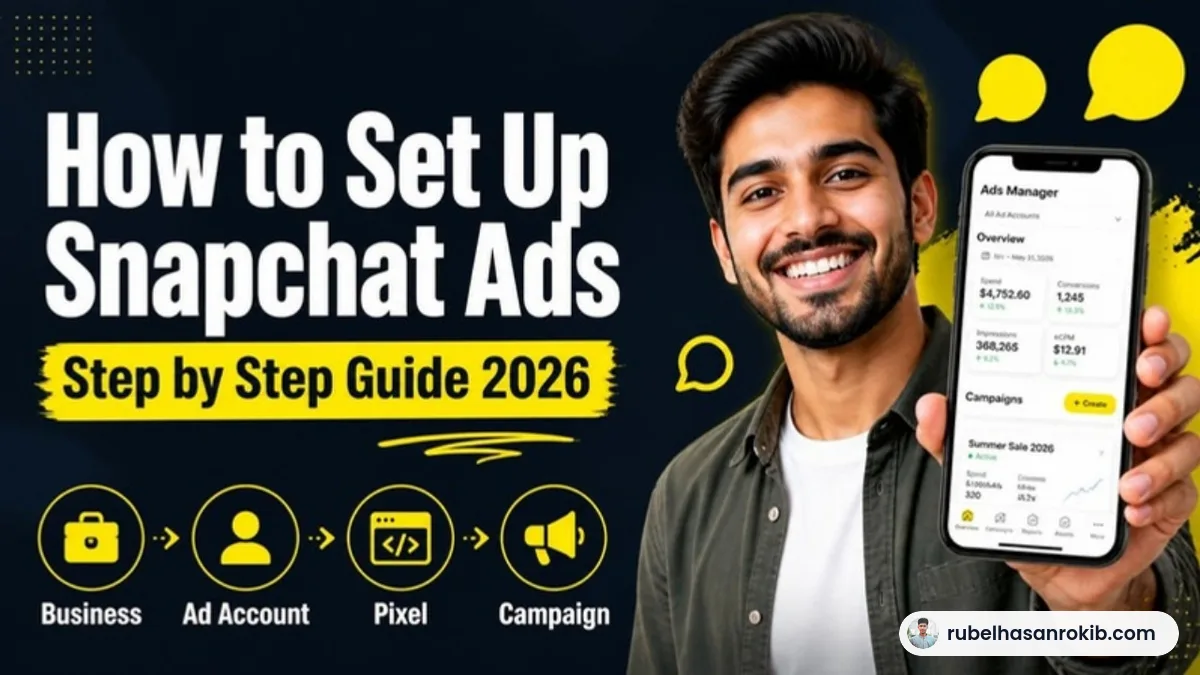
Snapchat is one of the best places to reach young local customers in big US cities like New York, Los Angeles, Houston and Dallas. Yet many business owners never launch a campaign because the setup looks confusing. Business account, ad account, Public Profile, Snap Pixel: what goes where?
In this guide I walk you through how to set up Snapchat Ads the same way I do it for my clients, from creating your account on the official site to publishing your first campaign. I use this exact process for a local business in Texas that now gets hundreds of ticket sales a week from Snapchat.
Quick Answer
To set up Snapchat Ads, go to ads.snapchat.com, create a business account, then create an ad account, a Public Profile and a Snap Pixel. Link the Pixel and the Public Profile to your ad account. After that, create a campaign, pick an objective, set your location, audience, Pixel and bidding in the ad set, then upload your video or image and add your website URL.
- Start at the official site: ads.snapchat.com.
- Create the ad account, Public Profile and Snap Pixel inside your business account.
- Link the Pixel and Public Profile to the ad account.
- Build the campaign in three levels: Campaign, Ad Set and Ad.
- For local businesses, target your city, ZIP code or radius.
In This Guide
- Quick Answer
- Why Snapchat Ads Work for Local Businesses
- Step 1: Create Your Business Account
- Step 2: Create Your Ad Account
- Step 3: Create and Optimize Your Public Profile
- Step 4: Create the Snap Pixel and Link It
- Step 5: Create a Campaign and Choose an Objective
- Step 6: Set Up the Ad Set
- Step 7: Create the Ad
- Step 8: Review and Publish
- Common Mistakes
- FAQ
Why Snapchat Ads Work for Local Businesses in the US
Snapchat is most popular with Gen Z and young millennials, and that audience is concentrated in large metro areas. People open the app many times a day, go out often and make quick decisions. Because fewer advertisers compete for their attention than on Facebook or Instagram, local businesses can often reach them at a lower cost.
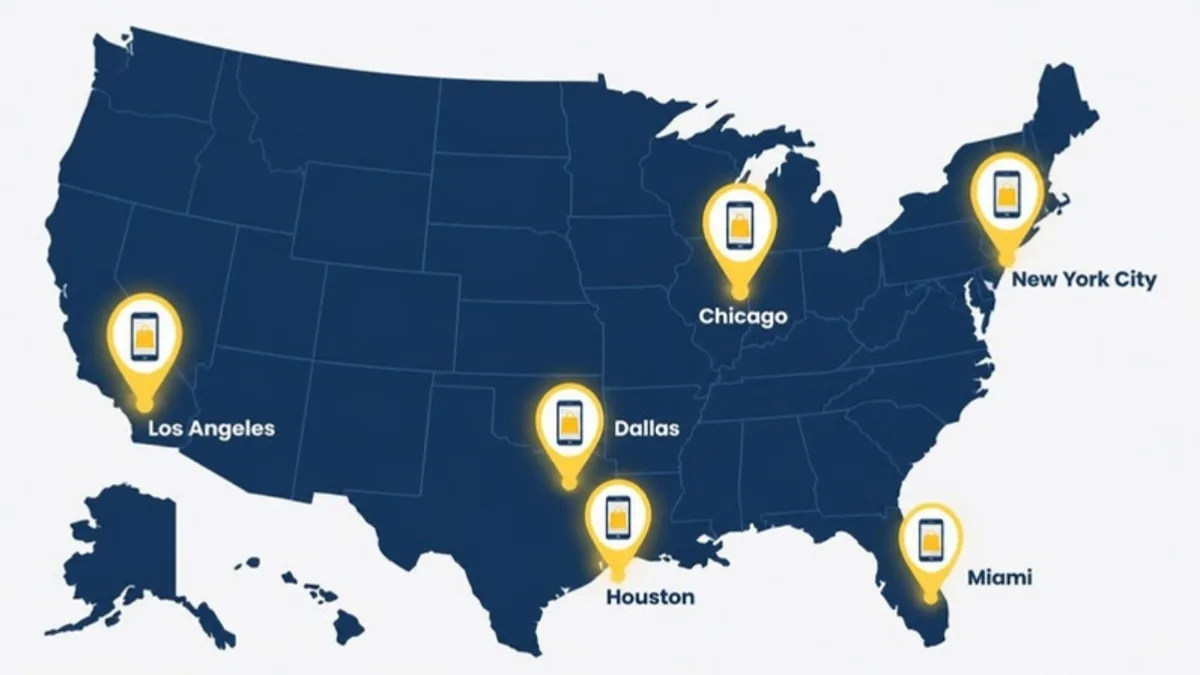
The real advantage for a local business is location targeting. You can show your ads only to people in your city, in specific ZIP codes or within a radius around your business. That is why Snapchat Ads work so well for restaurants, salons, gyms, events and attractions in cities like New York City, Los Angeles, Chicago, Miami and across Texas.
Step 1: Go to ads.snapchat.com and Create Your Business Account
Everything starts on the official Snapchat Ads website, ads.snapchat.com. Log in with a Snapchat account (or create one), then create your business account. Snapchat sometimes calls this area Business Manager. It is the main account that owns everything else.
- Enter your legal business name and business email.
- Choose your country, currency and time zone. For a US business, use USD and your local time zone.
- Add your business address and website.
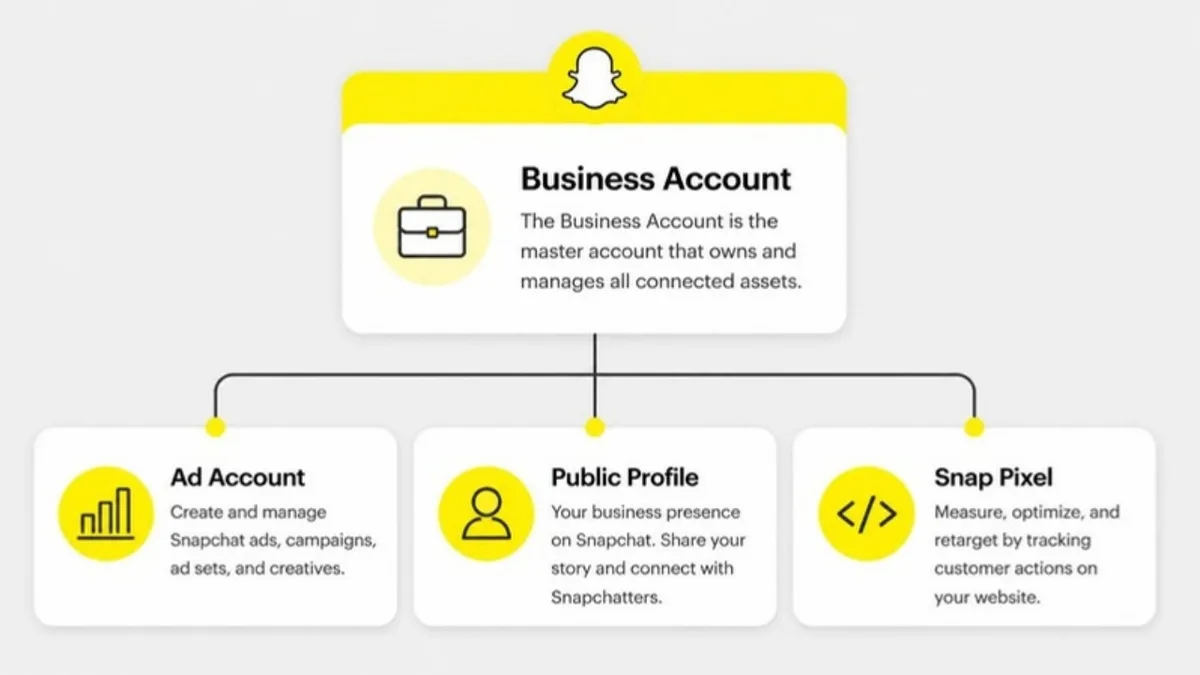
Once the business account is ready, you will see three things you can create inside it: an ad account, a Public Profile and a Snap Pixel. You need all three.
Step 2: Create Your Ad Account
The ad account is where your campaigns, ad sets, ads and billing live. Inside your business account, open Ad Accounts and create a new one.
- Give it a clear name, for example your business name plus the city.
- Double check the currency and time zone. You cannot change them later.
- Add a payment method (credit or debit card) so your ads can run.
- Add team members with the right roles. Only give Admin access to people who really need it.
Step 3: Create and Optimize Your Public Profile
A Public Profile is your business page on Snapchat. It is required for advertising, and your brand name in every ad links back to it. Create it from the business account, then link it to your ad account so you can use it in campaigns.
Do not leave the profile empty. People who tap your name will judge your business in seconds, so set it up properly:
- Upload a clear logo and a cover image.
- Write a short bio that says what you do and in which city.
- Choose the right category and add your address, website and phone number.
- Post a few Stories and save Highlights that show your products, venue or happy customers.
Step 4: Create the Snap Pixel and Link It to Your Ad Account
The Snap Pixel tracks what people do on your website after they see or tap your ad, such as viewing a page, adding to cart or buying a ticket. Without it, Snapchat can only optimize for clicks, not sales.
- Open Events Manager and create a new Snap Pixel.
- Install the base code on every page of your website. You can use Google Tag Manager, Shopify or the setup tool in Events Manager.
- Set up the key events, especially PURCHASE with value and currency, and leads or bookings if you take them.
- Link the Pixel to your ad account so your campaigns can use it.
- Test the events before you launch.
I explain this part in detail in my Snap Pixel setup guide. For the best accuracy, add the Snapchat Conversions API as well.
Step 5: Create Your First Campaign and Choose an Objective
Now go back to your ad account and click Create Campaign. Every Snapchat campaign has three levels: the campaign (your goal), the ad set (who sees the ad and how you pay) and the ad (what people see).
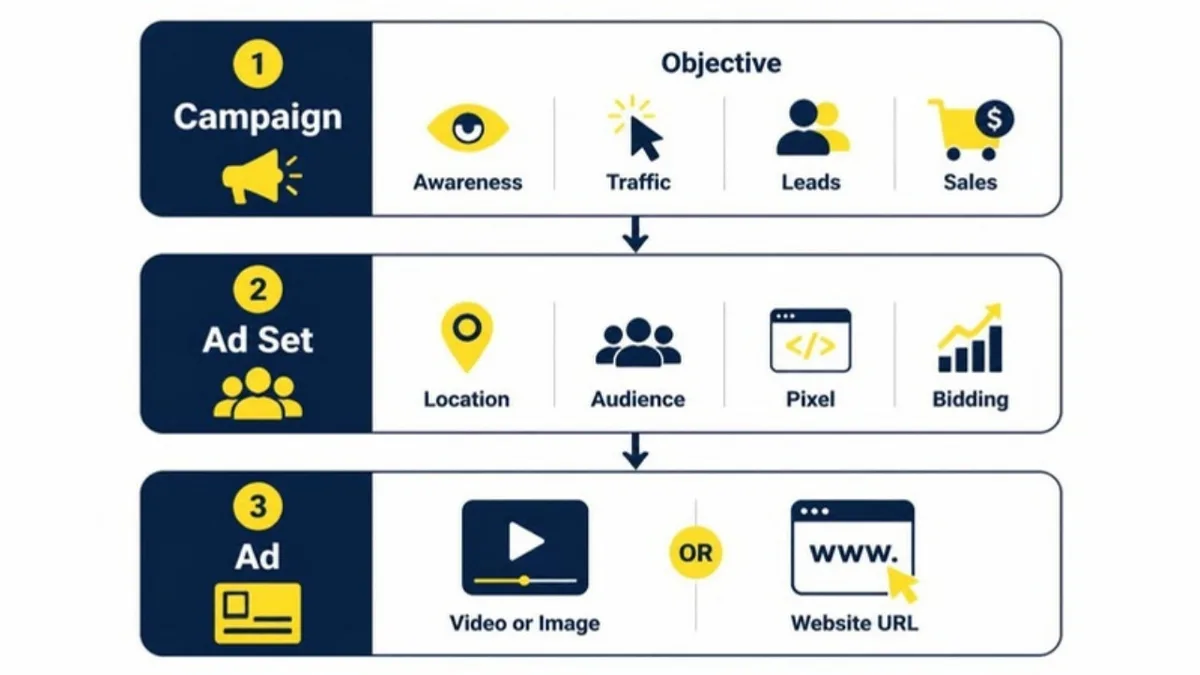
First, choose the objective that matches what you want:
- Awareness and Engagement: get your business seen by as many local people as possible.
- Traffic: send people to your website or landing page.
- Leads: collect sign-ups, quotes or booking requests.
- Sales: drive purchases, ticket sales or bookings tracked by the Pixel.
- App Promotion: only if you want app installs.
For most local businesses that sell online, such as tickets, products or bookings, Sales is the right choice. If you only want people to know you exist, pick Awareness. If you want visitors, pick Traffic.
Step 6: Set Up the Ad Set: Location, Audience, Pixel and Bidding
The ad set is where local targeting happens. These are the settings I check every time:
Location
Target only where your customers are. Choose your city, a list of ZIP codes or a radius around your address. A restaurant in Brooklyn might use a 5 mile radius, while an event venue in Texas might target the whole metro area around Houston or Dallas.
Audience
- Broad: only location and age. Snapchat finds buyers for you. This often works best once the Pixel has data.
- Interest based: choose lifestyle categories that match your customers, such as foodies, fitness fans or event goers.
- Custom audiences: website visitors, video viewers or customer lists, mainly for retargeting.
Pixel, Optimization and Bidding
- Select your Snap Pixel and the conversion event you want, for example Purchase.
- Start with Auto-Bid. Move to Target Cost only after you have steady conversions.
- Leave placements on automatic at the start.
- Set a daily budget. Snapchat allows a low minimum, but $20 to $50 a day per ad set helps the campaign learn faster.
Step 7: Create the Ad: Video or Image and Your Website URL
Finally, build the ad people will see between Stories and other content.
- Choose Single Image or Video for your first campaign. Use full-screen vertical 9:16 creative (1080 x 1920).
- Show your offer in the first 2 seconds and keep text away from the top and bottom edges.
- Add your brand name (up to 25 characters) and a short headline (up to 34 characters).
- Pick a call to action such as Book Now, Shop Now or Get Tickets.
- Paste your website URL. Send people to the exact page where they can buy or book, not your homepage. Add UTM parameters so you can see the results in Google Analytics.
Step 8: Review, Publish and Check Delivery
Review every level, then publish. Snapchat reviews ads before they go live, which is usually quick. In the first days, check that the ad is delivering and that Pixel events are coming in. Avoid editing the ad set for the first few days, because big changes restart the learning process.
Once your first campaign is live, the real results come from optimization. Read my Snapchat Ads optimization guide to learn how I combine broad, interest and retargeting campaigns.
Common Snapchat Ads Setup Mistakes
- Launching a Sales campaign before the Snap Pixel is installed and tested.
- Forgetting to link the Public Profile or Pixel to the ad account.
- Targeting the whole country when the business only serves one city.
- Using horizontal videos made for YouTube or Facebook.
- Sending ad traffic to a slow homepage instead of a focused landing page.
- Changing budgets and targeting every day before the campaign has learned.
FAQ
How do I start advertising on Snapchat?
Go to ads.snapchat.com, create a business account, then create an ad account, a Public Profile and a Snap Pixel. Link them together and create your first campaign in Ads Manager.
Do I need a Public Profile to run Snapchat Ads?
Yes. Snapchat requires a Public Profile for advertising, and your brand name in each ad links to it. Create it in your business account and link it to your ad account.
How much does it cost to run Snapchat Ads?
There is no setup fee. You set your own daily budget. Snapchat allows a low minimum, but most local businesses should plan at least $20 to $50 per day per ad set to get results.
Can I target only my city on Snapchat?
Yes. In the ad set you can target a city, a list of ZIP codes or a radius around your address, so only nearby people see your ads.
Which objective should a local business choose?
Choose Sales if people can buy or book on your website and the Snap Pixel is installed. Choose Awareness to get seen locally, or Traffic to send people to your website.
Final Thoughts
Setting up Snapchat Ads takes about an hour when you follow the right order: business account, ad account, Public Profile, Snap Pixel, then the campaign. For local businesses in big US cities, it is one of the most affordable ways to reach young customers right where they live. If you want it done for you, see my Snapchat Ads management service.
Official Resources
Want your Snapchat Ads set up the right way?
I am Rubel Hasan Rokib, a Snapchat Ads specialist who runs city-based campaigns for local businesses in the US. Send me your website and your city on WhatsApp and I will reply with a clear plan.