

Elementor had its biggest year in 2026. Version 4 introduced the Atomic Editor, then 4.2 and 4.3 added native CSS Grid, Atomic Loops and AI connections. If you build landing pages for ads, these changes affect speed, design workflow and plugin compatibility.
I build landing pages and service sites with Elementor and UAE every week, including this website. Here are the Elementor 4 updates that matter and how to handle them.
Quick Answer
The main Elementor updates in 2026:
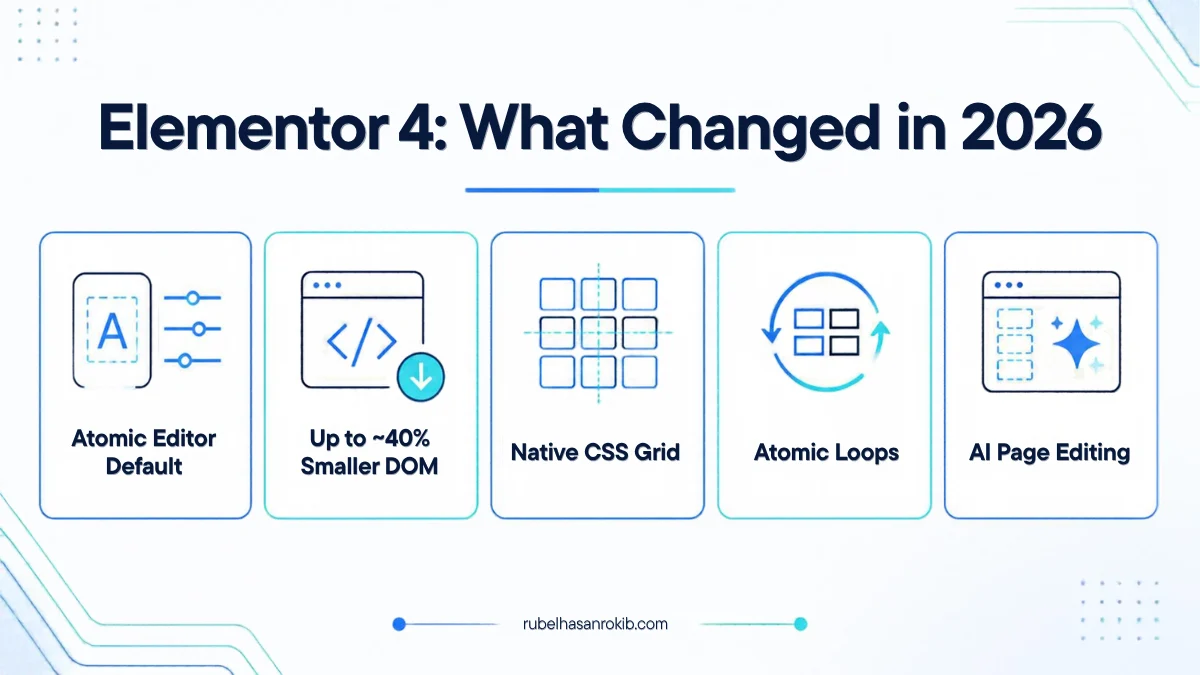
- Elementor 4 made the Atomic Editor the default for new websites.
- The new single-div structure reduces DOM output by up to about 40 percent.
- Version 4.2 added native CSS Grid and Atomic Loops.
- AI tools like Claude can connect to Elementor sites to create and edit pages.
- Some older addons broke with V4, so updates and testing are essential.
Elementor 4 and the Atomic Editor
Elementor announced version 4 at Web.fwrd in February 2026, and by March the Atomic Editor became the default for new sites. It introduces reusable Variables, Classes and Components, a unified styling system and fully responsive style controls.
The biggest technical gain is a lighter page structure. Fewer wrapper divs means faster pages, which helps both SEO and ad landing page conversion rates.
CSS Grid and Atomic Loops in 4.2
Version 4.2 added native CSS Grid and Atomic Loops, plus performance improvements to grid containers. For landing pages this means cleaner product grids, pricing tables and feature sections without extra addons.
The roadmap also lists loop filtering by category, tag or custom taxonomy, alternating loop templates, an Atomic carousel and the full Font Awesome set in the editor.
AI: Angie and External AI Tools
Elementor launched Angie Code for AI-generated custom widgets, and Angie added a Cloud Library for reusing AI snippets. The roadmap also mentions connecting AI tools such as Claude directly to an Elementor site to create and edit pages.
I already use AI connections to build and update pages on client sites. It is fast, but you still need a designer’s eye for layout, spacing and mobile view.
Compatibility: Check Your Addons
Elementor 4 broke compatibility with addons that were not updated quickly. Before you update a live site:
- Take a full backup of files and database.
- Update addons like Ultimate Addons for Elementor first.
- Test the update on a staging copy.
- Check every landing page on mobile, especially forms, checkout and order buttons.
- Clear Elementor CSS cache and regenerate files after updating.
What This Means for Ad Landing Pages
| Change | Benefit for advertisers |
|---|---|
| Smaller DOM | Faster load on mobile data, lower bounce from ads |
| Native CSS Grid | Cleaner product and pricing sections without extra plugins |
| Components and Variables | Update brand colors and buttons across all pages at once |
| AI page editing | Faster A/B test versions of landing pages |
A fast page only helps if tracking works. Pair your landing page with proper Meta Conversion API setup and Google Ads conversion tracking.
Elementor 4 Updates FAQ
What is the Elementor Atomic Editor?
It is the new foundation introduced in Elementor 4, with a single-div element structure, reusable Variables, Classes and Components, and unified responsive styling.
Will Elementor 4 break my existing site?
Existing pages keep working, but some outdated addons had compatibility problems. Update addons first and test on staging before updating a live site.
Does Elementor 4 make websites faster?
Yes. The single-div structure reduces DOM output by up to about 40 percent, which usually improves load time.
Can AI build Elementor pages now?
Yes. Elementor has its own AI tools, and external AI assistants can connect to Elementor sites to create and edit pages.
Should I still use Containers?
For classic V3 pages, yes. On new V4 sites, use the atomic elements and CSS Grid where possible.
Final Thoughts
Elementor 4 makes landing pages faster and more consistent, and AI is making them quicker to build. Update carefully, test on mobile and keep tracking clean.
Need a fast landing page for your ads? Contact me or see my portfolio.
Official Resources
Need a fast Elementor landing page?
I am Rubel Hasan Rokib, a data-driven digital marketer based in Bangladesh. Send me your website or ad account details on WhatsApp and I will reply with a clear plan.